
Mobile access and app status
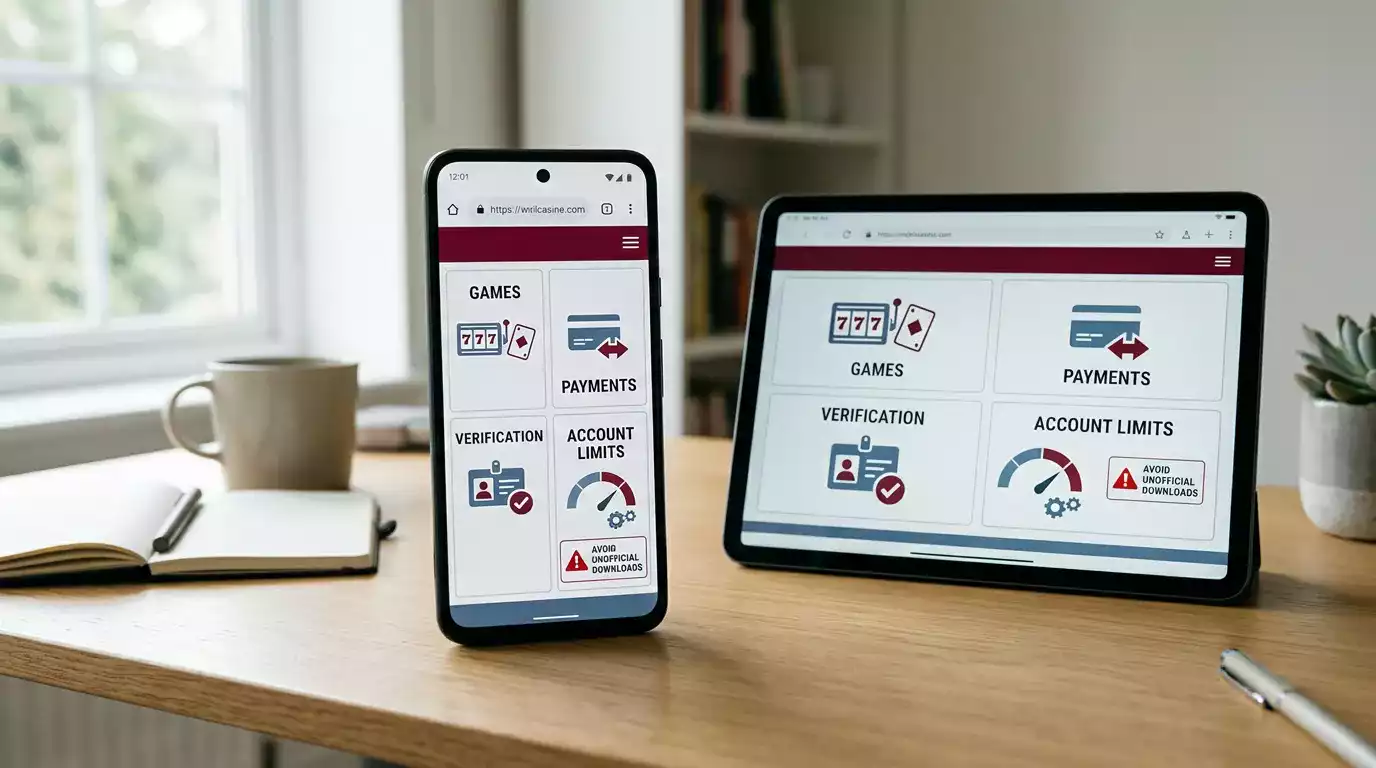
The safest answer for UK readers is browser first. Reviewed evidence supports WinOMania mobile casino use through a mobile website on iPhone, Android, tablet and desktop browsers, while this guide did not verify a dedicated official WinOMania iOS or Android app. Treat app-store, APK and mirror-domain claims carefully unless the listing can be tied back to the official operator and active UK-facing domain. For ordinary mobile play, the practical checks are not an APK download. They are whether the current browser session loads cleanly, whether the cashier and verification prompts are understandable, whether live casino streams work on your connection, and whether safer-gambling controls remain easy to reach before you deposit.
`
Mobile Browser Gameplay vs Native App Features
WinOMania app searches can be misleading because some pages use app language even when they are describing ordinary mobile browser play. A real app claim should pass a higher test than a review sentence. It should point to an official app-store listing, identify the operator, match the regulated brand and avoid side-loaded APK guidance. Without that evidence, the safer wording is that mobile browser play is reported, while a dedicated official app was not verified.
This distinction matters for security. A browser session on the official UK-facing domain can be cross-checked against the main UK review and licence evidence. A random download page may not be connected to the operator at all. If a page asks you to install software, disable device protections, use a mirror domain or accept a file from an unknown developer, the safest decision is to stop and check the official route again.
| Question | Safer answer | Risk signal |
|---|---|---|
| Is there an official app? | No dedicated official iOS or Android app was verified for this guide. | A third-party APK page claims an app without operator proof. |
| Can mobile access work? | Reviewed sources support browser-based access through mobile devices. | The page says you must use a different domain or installer. |
| Should I download an APK? | No. Do not use unofficial APK or mirror-domain downloads. | The page promises easier access by bypassing normal checks. |
| What should I test first? | Navigation, account security, cashier clarity, game rules and safer-gambling controls. | The site focuses only on a bonus or download button. |
iPhone and Android checks before play
The mobile checklist is similar on iPhone and Android because the evidence points to browser-led use rather than a platform-specific app. On iPhone, use the current browser session to check whether menus, cashier screens, live-dealer tables and game rules remain readable without zooming. On Android, make the same checks and avoid treating APK search results as a shortcut. Browser compatibility is about the current site working on your device, not about installing unknown files.
Pay attention to session handling. A casino page that logs you out during payment or verification tasks can create mistakes, especially on a small screen. Check whether you can return from the cashier to the lobby, reopen a game rules panel and find account limits without losing your place. If the site feels unstable on mobile, do not assume the issue will disappear after a deposit. Test navigation first, then decide whether to continue.
Also consider device privacy. Do not save credentials on a shared phone. Keep browser autofill and screen lock settings under your control. Avoid public Wi-Fi for deposits, withdrawals or identity checks. A mobile device makes access easier, but it also makes rushed decisions easier, so use the same evidence standard you would use on a desktop.
Keep the device itself boring and current. Browser updates, screen lock, clear account notifications and a stable connection matter more than any claimed mobile-exclusive shortcut. If the phone is not secure enough for banking, it is not secure enough for casino registration, cashier tasks or identity checks.
Games on mobile: categories matter more than counts
Independent reviews consistently describe WinOMania as offering slots, scratch or instant-win games, table games and live casino content. For mobile play, that category evidence is more useful than a fixed game count. The question is whether the exact game you want appears in the current lobby, displays its rules clearly and works acceptably on your connection.
Slots are usually the easiest category to test on a phone because the interface is compact. Still, check stake selectors, autoplay settings, game information and bonus contribution before wagering. The casino game categories page explains why a broad library claim should not replace current lobby evidence. If you care mainly about slots, use the same discipline: open the rules panel, check the current title, then consider volatility and bonus compatibility.
Live casino needs a separate mobile test. Live dealer games are reported as available at WinOMania, but streaming quality depends on connection speed, device power, table layout and account access. Read the live casino checks before assuming a table will feel the same on a phone as on a laptop. A smaller screen can hide limits, chat, table rules or round timing, so the test should include more than whether the stream opens.
Mobile cashier and payment caveats
Reviewed sources commonly report UK-facing deposit options such as debit cards, PayPal, Skrill, Neteller, Paysafecard and Neosurf, but exact mobile cashier availability should be checked inside the current account before transacting. This page does not claim that mobile deposits or withdrawals are instant. It also does not publish exact method-by-method withdrawal times, fees or limits because those details require current cashier or official payments evidence.
On a phone, the safest banking check is visual. Confirm that the amount field, payment method, bonus selection and confirmation screen are all visible before you submit anything. If a wallet, voucher or card route appears only after login, treat the account screen as the deciding source. The deposits and withdrawals guide covers the wider payment picture, including why UK readers should avoid filling gaps with old review tables.
Mobile screens can make optional and mandatory choices look similar. Read bonus opt-in text, payment ownership prompts and limit messages before tapping. If the cashier pushes you to another domain, a download, a pop-up or an unfamiliar payment flow, pause and verify the route. Convenience is not a reason to lower the evidence standard.
Verification and account tasks on a small screen
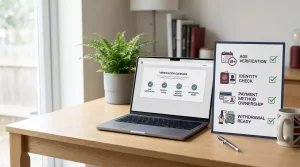
Identity verification and KYC may be required before or during account use and withdrawals. For mobile players, that means the device is not just a game screen. It may also become the place where you receive account messages, upload files or respond to checks. Exact WinOMania document lists and processing times were not verified from official account text for this page, so do not rely on a generic checklist as if it were a current account instruction.
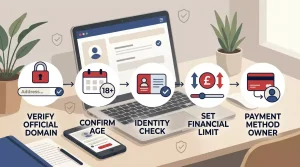
The practical approach is to keep account setup tidy from the start. Use your own details, your own payment method and a secure browser. Do not send identity files through social media, random email addresses or APK-linked pages. The registration guide explains how account setup, domain checks and payment choices fit together. For deeper KYC caveats, use the identity checks page before a withdrawal becomes urgent.
Data, battery and session discipline
Mobile casino use can make staking feel casual because the device is already in your hand. That is exactly why session discipline matters. Live streams use more data and battery than static pages. Fast slots or instant-win content can encourage repeated taps. Payment tasks can be harder to review on a small screen. None of these points is unique to WinOMania, but they are highly relevant to a browser-led mobile setup.
Before playing, decide how long the session should last, what you are willing to spend and where you will stop. UK-facing online gambling systems must provide financial-limit facilities and prompts in the account journey, but those tools are most useful when you use them before a session becomes emotional. Check that account limits, timeout options and support pages are reachable on mobile before treating the phone as your main casino device.
Decision framework: when mobile is the right route
Mobile browser use can be suitable if the official route is clear, pages load consistently, account messages are readable, payment confirmations are visible and safer-gambling controls are easy to find. It becomes weaker if you are relying on an APK, using a shared device, struggling to read rules, losing the session during cashier tasks or trying to complete verification in a hurry.
Five checks before using WinOMania on mobile
- Confirm you are using the official UK-facing route, not a mirror download page.
- Check that no dedicated app claim is being treated as verified without official evidence.
- Open one slot, one rules panel and one live casino page before depositing.
- Review payment and limit prompts on the same device you plan to use.
- Pause if verification, cashier or support instructions are unclear on the small screen.
The non-generic takeaway is that WinOMania mobile play should be judged as a browser evidence problem, not an app hunt. A thin review asks whether there is a mobile site. A safer UK review asks whether the browser route is verifiable, readable, compatible with payments and KYC, and free from APK or mirror-domain pressure.
That evidence test should be repeated when the device, network or account task changes. A phone that is acceptable for reading terms may not be ideal for document upload, live dealer play or a payment confirmation screen. A stable tablet session may still be unsafe if it reaches the site through a shortcut that cannot be matched to the active domain. Treat mobile readiness as a set of current checks, not as a permanent label.
Material created by the team WinOMania